
About Jedit Pro
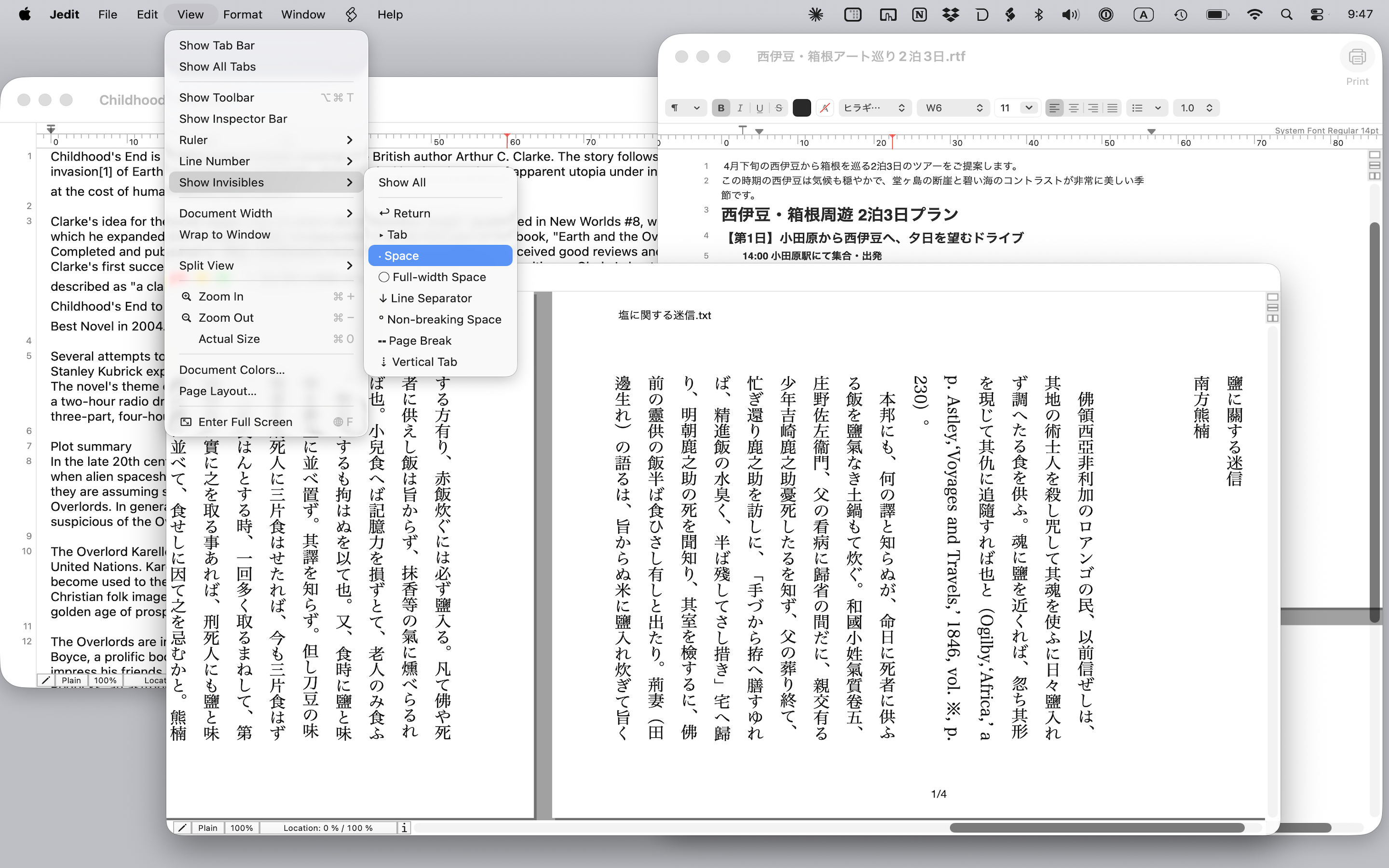
Jedit Pro is the upgraded edition of the free Jedit, with advanced editing features inherited from the legacy Jedit Ω. In addition to everything Jedit offers, it provides multi-file find and replace, document comparison, Aozora Bunko ruby and emphasis dots, hard line wrapping, sorting, Unicode normalization, and many other tools designed for users who handle long documents, large numbers of files, or extensive Japanese typesetting and text processing.
The app itself is a free download. All Pro features are free to try for 7 days from first launch (see pricing).
How It Differs from Jedit
Jedit Pro includes all of Jedit's core features (multiple format support, horizontal/vertical writing, page layout view, iCloud sync, AppleScript, printing, character encoding support, and more). On top of those, the following Pro-only features are available.
Pro-only Key Features
Multi-File Find & Replace
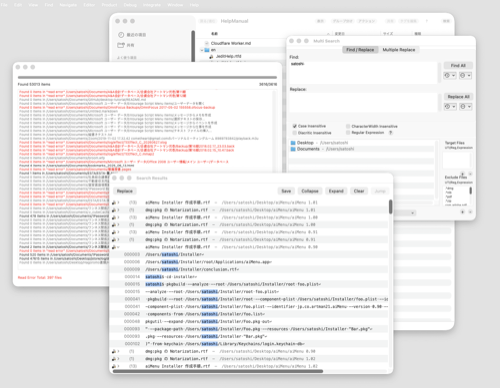
Search across multiple files at once. Jump from a results panel to any match, replace selected matches in bulk, and run multi-pair batch replacements.
Document Comparison
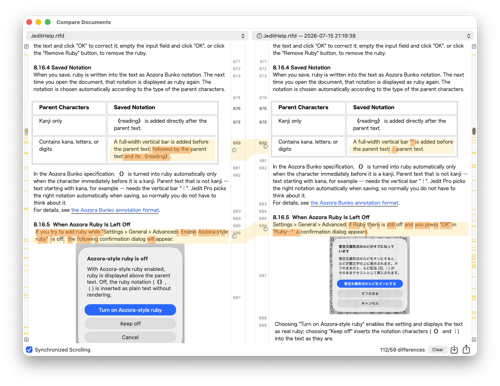
Compare two documents side by side with color-coded differences. You can also compare against a saved version, and double-click a difference to jump to that spot in the document.
Smart Index
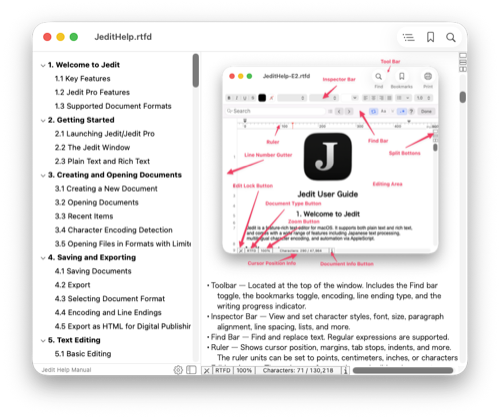
Auto-generate an outline in the sidebar. Customizable extraction rules support Markdown, HTML, programming languages, and more, and entries can be imported into bookmarks.
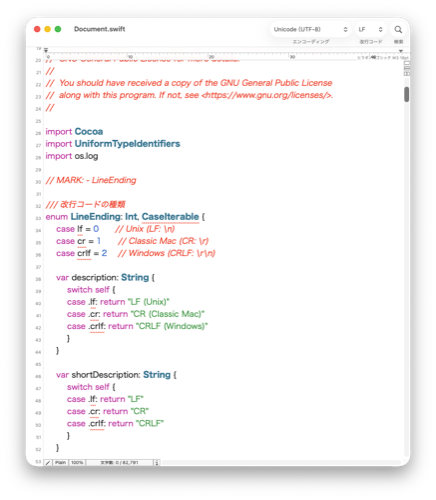
Syntax Coloring
Color-code keywords for programming and markup languages. Built-in language definitions plus user-defined coloring rules.
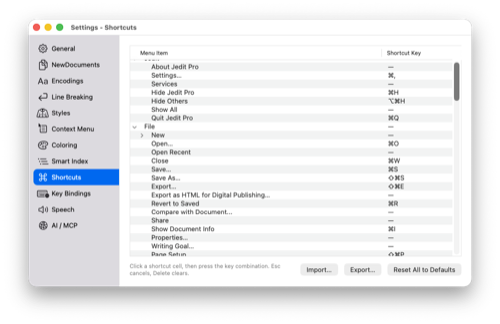
Menu / Key Binding Customization
Customize menu keyboard shortcuts and text editing key bindings. Emacs-style key bindings can be reproduced.
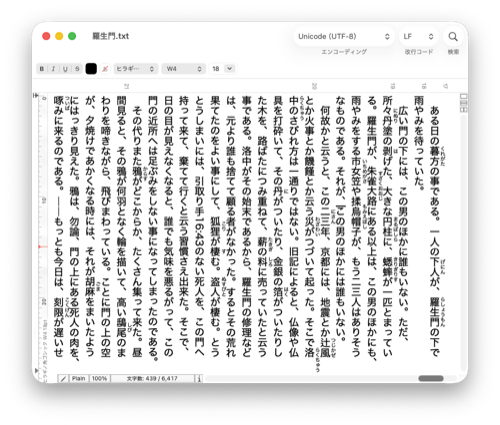
Aozora Bunko Ruby
Aozora Bunko annotations (|漢字《かんじ》) are rendered as real ruby text. Ruby appears in the editor, in print, and in HTML export, in both vertical and horizontal writing.
Emphasis Dots
Nine styles of emphasis marks, including sesame dots, filled and open circles. Supports marks on the opposite side of the text and can be combined with ruby, applied from a dedicated dialog.
HTML Export for Digital Publishing
Export documents containing ruby and emphasis dots as HTML that is ready for e-books, converting Aozora Bunko annotations into web- and EPUB-friendly markup.
High-Quality Read Aloud
In addition to the built-in macOS voices, documents can be read aloud with high-quality Google Cloud Text-to-Speech voices (requires an API key).
AI Client Integration (MCP)
Built-in MCP server lets AI clients like Claude Desktop read and edit the documents you have open in Jedit Pro. Setup guide →
Tools Menu
A wide set of text-processing commands you can run with a single click.
Hard Line Wrapping & Prefixes
Wrap lines at a chosen width by inserting LFs. Supports adding and removing prefixes such as quote markers, and preserving auto-indent.
Sort
Sort by line or word, with fine-grained options: descending order, numeric sort, Japanese reading order, and ignoring half/full width, case, or diacritic marks.
Unicode Normalization
Convert text to NFC, NFD, NFKC, or NFKD. Useful for ensuring text compatibility between Mac and Windows and for resolving character-encoding issues.
Half / Full Width Conversion
Convert half-width and full-width forms of letters, katakana, and symbols separately, with fine-grained control. Save your conversion rules as presets.
Kanji Radical Detection
Detect standalone CJK radical characters (such as ⼈, ⽇) in your text and convert them to the corresponding standard CJK characters (人, 日, etc.) in bulk.
Cleanup & Reformatting
Remove leading/trailing spaces, convert between tab and space indentation, remove or count duplicate lines, and reverse line order.
Encoding Compatibility Check
Find characters that cannot be saved in a given character encoding before you save, so you can review them and avoid corrupted text.
Other Tools
Auto-link URL strings, convert between hiragana and katakana, transliterate kanji to hiragana, show character codes, and more.
Migrating from Jedit Ω
The legacy Jedit Ω reached the end of sales and support at the end of November 2025. The new Jedit and Jedit Pro are successor editors, rewritten from scratch based on Jedit Ω.
Of the Jedit Ω features that were not reimplemented in the free Jedit, the following are available in Jedit Pro.
- Multi-file find and replace
- Document comparison
- The commands of the Jedit Ω Tools menu
- Syntax coloring
- Smart Index
- Menu shortcut customization
- Key binding customization
Pricing
The app itself is a free download from the Mac App Store. All Pro features are free to try for 7 days from first launch. No payment is required during the trial, and no cancellation is needed.
To continue afterwards, choose one of:
- Yearly Subscription — JPY 3,000 per year, automatically renewing
- Lifetime License — JPY 5,000, one-time payment, no renewal (covers version 1.x)
The yearly subscription renews automatically unless auto-renew is turned off at least 24 hours before the end of the current period. You can manage or cancel it any time in the App Store or in System Settings > Apple Account > Subscriptions. See the Terms of Use for details.
System Requirements
- macOS 15.6 or later
- Apple Silicon or Intel processor
Support
For bug reports, feature requests, and other inquiries, please contact us at the following address.
Artman21 User Support
Email: support@artman21.co.jp